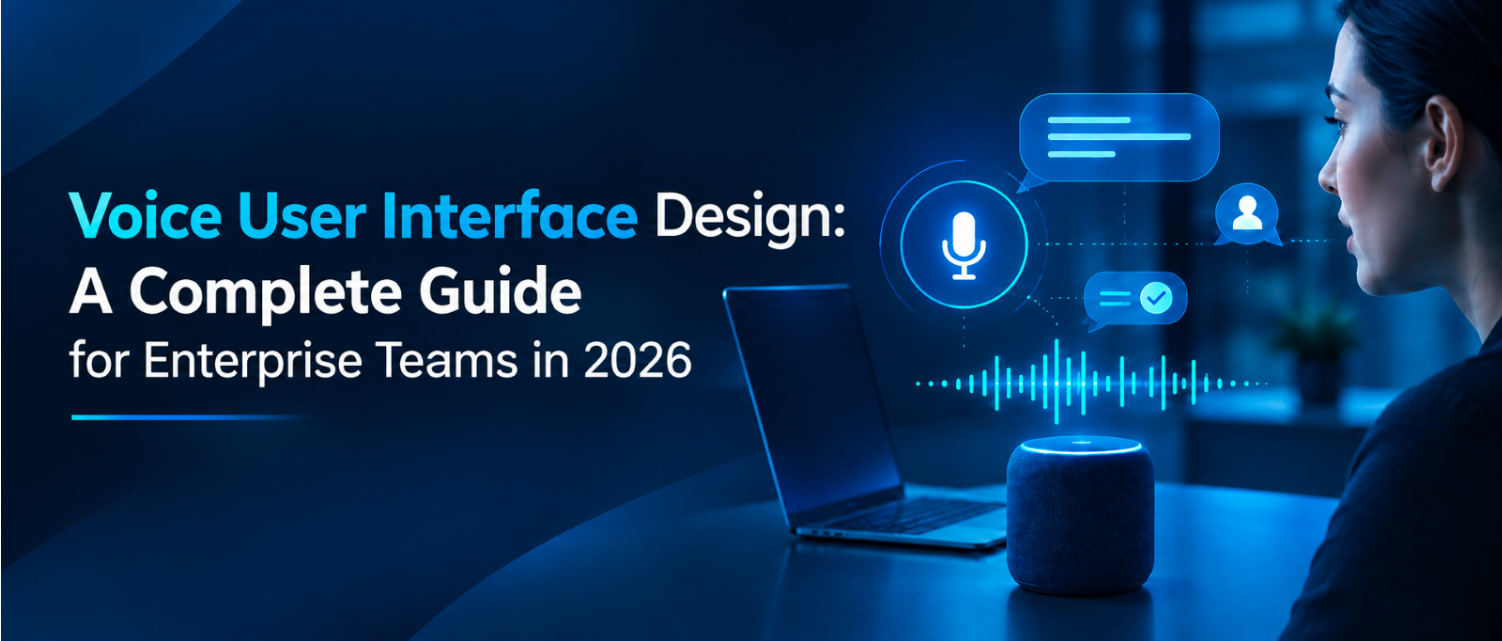
Voice User Interface Design: A Complete Guide for Enterprise Teams in 2026
Talking to software used to feel like a novelty. Now people ask a smart speaker to set a reminder, tell a car's dashboard to change the route, and dictate a message to a phone while their hands are full, all without thinking twice about it. That shift has pulled voice user interface design out of the experimental corner of product teams and into the core of how enterprise software gets planned.
For a business evaluating whether voice deserves a place in its product roadmap, the real question is rarely "can we add voice?" Most platforms already support speech recognition out of the box. The harder question is whether the voice experience will hold up for the people using it, in the environments they use it in, without frustrating them the first time it misunderstands a sentence. That is what voice user interface design is actually about.
This guide covers what a voice user interface is, how designing for voice differs from designing for a screen, a practical framework for approaching enterprise voice projects, how the underlying technology fits together, and where voice earns a place inside a broader product strategy.
What Is a Voice User Interface (VUI)?
A voice user interface, often shortened to VUI, lets a person interact with software by speaking rather than tapping, clicking, or typing. The system listens through speech recognition, determines the intent behind what was said through natural language understanding, carries out the requested action, and responds, usually through synthesised speech.
Smart speakers and virtual assistants such as Alexa, Siri, and Google Assistant are the most visible examples of a voice user interface. Still, the same underlying pattern now shows up inside cars, wearables, customer support lines, healthcare intake systems, and field applications used by technicians who cannot spare a hand to hold a phone. Voice input UI has moved well beyond the smart speaker on a kitchen counter, and voice user interface design is the discipline of shaping that spoken interaction on purpose, rather than letting it emerge as a byproduct of bolting speech recognition onto an existing screen-based product.
How Voice User Interface Design Differs From Screen-Based Design
A graphical interface gives users something to look at while they decide what to do next: buttons, labels, menus, a visible list of options. A voice interface offers none of that. Every choice must be understood, remembered, and acted on without a visual anchor, which changes how the interaction must be built.
- Memory replaces visibility. Users cannot glance back at a menu of options; the system has to guide them toward what is possible through what it says, one step at a time.
- Errors cannot be corrected by pointing. A tap undoes a mistake instantly. A misheard voice command needs a recovery path built into the conversation itself.
- Tone carries more weight. Wording, pacing, and voice personality do the job that colour, spacing, and iconography do in a graphical interface.
- Context is harder to infer. A screen shows the user's current state at a glance. A voice system has to actively track where the user is in a task and refer back to it correctly.
This is why voice interface design sits closer to conversation design and UX writing than to traditional screen layout work, even though the underlying goal, guiding a user to a completed task with the least possible friction, stays the same.
The 5 Pillars of Enterprise Voice UI Design
Consumer voice assistants and enterprise voice tools solve different problems. A smart speaker mostly needs to be convenient. An enterprise voice interface, used inside a regulated workflow or a safety-critical process, needs to be convenient and trustworthy enough to rely on. The following framework, built around five pillars, gives enterprise teams a way to evaluate a voice interface project beyond the generic "does it understand speech" question.
1. Context
The system needs to know more than what was just said. It needs to know who is speaking, what task they are in the middle of, what device or environment they are speaking from, and what happened earlier in the same session. A warehouse voice assistant that forgets which shipment a user was discussing forces them to repeat information they already gave, which is exactly the friction voice was supposed to remove.
Enterprise example: A field inspector says "mark this one as failed" after already specifying which unit they are inspecting two exchanges earlier. A context-aware system carries that reference forward; a context-blind one asks "which unit?" again and breaks the flow.
2. Conversation
This is the actual dialogue design: how prompts are phrased, how many things are asked at once, and how naturally the exchange reads when spoken aloud rather than displayed as text. Enterprise voice tools often fail here by importing menu-style thinking from screens, reading out four options in a row the way a dropdown would list them, which is far harder to hold in memory when heard rather than seen.
Enterprise example: Instead of asking "would you like to log an incident, check inventory, view your schedule, or request support," a well-designed system asks one targeted question based on what the user is most likely doing at that moment, and lets them redirect if that guess is wrong.
3. Confirmation
Voice has no visual receipt. Before a consequential action goes through—a booking, a submitted report, an inventory adjustment—the system needs to state back what it understood and let the user correct it if something was misheard. Skipping confirmation on anything that matters is one of the fastest ways to erode trust in an enterprise voice tool.
Enterprise example: A supervisor approving a purchase order by voice should hear the vendor name, amount, and order number read back before the approval is final, not after.
4. Continuity
Very few enterprise voice interactions happen without a screen. Continuity means the voice layer and the visual layer stay in sync, whether that is a mobile app showing a written summary of what was just said, a smart display showing a list a driver cannot safely read while moving, or a session that a user can pick up on a screen after starting it by voice. Continuity also covers a session surviving a dropped connection or a switched device without forcing the user to start over.
Enterprise example: A technician starts an inspection by voice on a headset, then finishes reviewing the summary on a tablet once they are back at a desk, without re-entering anything already captured.
5. Compliance
Enterprise voice tools frequently touch regulated data: health information, safety incidents, financial approvals, and personally identifiable information spoken aloud in a shared space. Compliance means access is scoped to what a given user is permitted to see or change, sensitive confirmations are not read aloud somewhere they could be overheard, every voice-triggered action is logged the same way a form submission would be, and voice is never the only path to a critical action that a user needs to be able to review or reverse.
Enterprise example: A voice assistant handling patient intake for a healthcare provider should log every captured field for audit, route anything outside its confidence threshold to a human, and avoid reading back sensitive details in a shared waiting area.
Used together, these five pillars give a team a shared checklist during design reviews: does this flow account for context, is the conversation itself well written, is anything consequential confirmed, does it stay continuous across devices and interruptions, and does it hold up under compliance scrutiny.
How a Voice Interface Actually Works
A functioning VUI is built from a few distinct technical layers working in sequence.
User speaks → ASR converts speech to text → NLU identifies intent and extracts details → the dialogue manager checks context and decides what happens next → the system acts → TTS converts the response back into speech.
Each stage has a specific job:
- Automatic speech recognition (ASR) converts the spoken audio into raw text. This layer is most affected by background noise, accents, and overlapping speech.
- Natural language understanding (NLU) interprets what that text actually means: the intent ("log an incident") and any entities inside it ("loading bay," "no injuries").
- Dialogue management decides what happens next. It checks what is already known from earlier in the conversation, what is still missing, and what question or action comes next. This is also where business logic lives: which system to query, which permissions apply, and what counts as enough information to proceed.
- Text-to-speech (TTS) converts the system's response back into natural-sounding audio for the user to hear.
For enterprise deployments, a few additional pieces sit around this core loop. Large language models increasingly handle the NLU and dialogue management layers together, interpreting more flexible phrasing than older rule-based systems could manage. A retrieval layer connects the assistant to the actual systems of record, an ERP, a CRM, an incident-management platform, so answers and actions reflect live data rather than a fixed script. Authentication confirms who is speaking before anything sensitive is exposed or changed, ranging from a login already established on the device to voice biometrics in higher-security contexts. And enterprise permissions scope what a given voice session is allowed to see, ask about, or trigger, the same role-based access control that governs any other enterprise system, applied consistently to the voice channel rather than treated as a separate, looser layer.
Design work touches every one of these layers, from writing the prompts and confirmations a user hears, to mapping what happens when the system mishears something, to deciding what data the dialogue manager needs before it is allowed to act.
A Voice Conversation Flow in Practice
The principles above are easier to see in a real exchange. Here is a simplified flow for a field technician logging a safety incident through a voice-enabled mobile app.
Standard flow
User: "Log a safety incident."
Assistant: "What happened?"
User: "A worker slipped near the loading bay."
Assistant: "Was anyone injured?"
User: "No."
Assistant: "I've recorded a no-injury slip incident near the loading bay. Would you like to submit it?"
Each turn asks one thing, tracks what has already been said, and confirms the full record before it commits, exactly what the Conversation and Confirmation pillars call for.
Error-recovery version
Assistant: "Did you say the loading bay or the loading dock?"
User: "Loading bay."
Assistant: "Got it. I've updated the location."
Instead of restarting the whole report or silently guessing, the system isolates the one detail it is unsure about, asks a narrow follow-up question, and moves on without losing anything already captured. That is what graceful error recovery looks like in practice, rather than as an abstract design principle.
Voice User Interface Design Best Practices
Beyond the five pillars, a few tactical practices consistently separate voice products that hold up in real use from ones that do not.
- Base prompts on real phrasing, not assumed phrasing. Research how people naturally ask for what they need before writing a single prompt; users rarely phrase requests the way a design team expects.
- Give the system a consistent voice personality. A calm, precise tone suits a compliance or healthcare workflow; a lighter tone suits a consumer lifestyle app. Whichever is chosen, keep it consistent across every interaction.
- Offer a fallback when voice is not practical. Not every environment is quiet enough for speech, and not every user is comfortable speaking a request aloud. A visible text or touch option keeps the experience usable regardless.
- Test with unscripted speech. Internal test scripts rarely capture how people phrase requests under real conditions. Closed testing with real users, followed by a review of what they actually said, is what turns a working prototype into a reliable product.
- Review usage data after launch, on an ongoing basis. Conversation logs surface phrasing the design team never anticipated and reveal exactly where users abandon a flow, information that only exists once real users are talking to the system.
Popular Voice User Interface Examples
Smart assistants remain the clearest reference points for VUI design. Amazon Alexa, Apple Siri, and Google Assistant each handle everyday tasks like setting reminders, answering questions, and controlling connected devices. Each has published its own guidance on designing a reliable voice experience for its platform.
Beyond consumer assistants, voice interfaces increasingly show up in more specialized settings: in-car systems that let a driver change navigation or media hands-free, smart displays that pair spoken responses with a visual summary, wearable devices with limited screen space, and enterprise tools that let a field worker log data verbally while their hands stay on the job. Each solves a variation of the same problem: getting a task done when looking at or touching a screen is inconvenient or unsafe.
Designing for Accessibility and Inclusion
Voice interfaces are often framed as an accessibility win by default, since they remove the need to see a screen or use fine motor control to tap a small target. That benefit only holds if the design work accounts for the full range of users directly, rather than assuming everyone can and wants to speak their input.
A genuinely accessible voice user interface design accounts for:
- Users who cannot speak, or prefer not to, by offering a full touch or text alternative for every voice-driven task, not just a partial one.
- Users with speech impairments or atypical speech patterns, by testing recognition accuracy across a wide range of speakers rather than a narrow internal group.
- Users in noisy or public environments, where speech recognition accuracy drops and speaking aloud may not be appropriate or private.
- Users who need captions or visual confirmation, particularly people who are deaf or hard of hearing, or anyone who wants to verify what the system understood.
- Users who need to review or correct dictated information, since a voice-only confirmation is easy to mishear and hard to double-check without a written record.
- Critical or sensitive actions, which should never depend on voice alone, whether that is authentication, a financial transfer, or a medical decision. A reviewable, reversible alternative path needs to exist alongside the voice option.
Handled well, voice becomes one of the more inclusive interaction models available. Handled without these considerations, it quietly locks out the users it was supposed to help.
Common Voice UI Design Mistakes to Avoid
A few recurring mistakes show up across voice projects that underperform after launch.
- Writing prompts like a menu, reading several options aloud at once rather than asking the way a person naturally would.
- Assuming one accent or speech pattern represents all users, which quietly narrows who the product actually works for.
- Treating confirmation as optional on anything consequential, leaving users unsure whether an action actually went through.
- Never reviewing real usage data after launch, missing the phrasing patterns and drop-off points that only surface once real users are talking to the system.
How Triazine Software Approaches Voice and Conversational Interface Design
Voice rarely works well as an isolated feature bolted onto an existing product. It depends on solid conversation design, dependable speech recognition and synthesis, and a natural language layer that genuinely understands what an operational team is asking for, whether that is a customer placing an order or a field supervisor checking incident status from a warehouse floor.
Depending on where a project starts, our work typically covers:
- Voice-enabled enterprise assistants built on the same retrieval and natural language architecture behind our conversational interfaces and enterprise knowledge assistants, so spoken questions get answered from live operational data rather than a fixed script.
- Multimodal workflows that keep a voice flow and its paired screen in sync, planned through the same research-led process our UI/UX design strategy and redesign team applies to any enterprise interface.
- Field-service voice interfaces for technicians and supervisors who need to log or retrieve information without stopping to use their hands.
- Voice paired with mobile application experiences, delivered through our enterprise mobile application development work, including the offline-first patterns field conditions typically demand.
- Conversational AI integrated with existing enterprise systems, so a voice-triggered action reaches the ERP, CRM, or EHS platform a business already runs on, rather than sitting in a disconnected pilot.
Bringing Voice Into Your Product Strategy
Voice user interface design is not a feature added to a finished product. It is its own discipline, built on real conversation research, deliberate error handling, and a genuine understanding of the context, compliance, and continuity needs an enterprise workflow carries. Done well, it removes friction a screen never could. Done as an afterthought, it frustrates the exact users it was meant to help.
If your team is weighing where voice fits into an existing product, a new field application, or a broader conversational AI initiative, start a conversation with Triazine Software and we will help you identify where a voice interface delivers real value for your users, rather than adding complexity without a clear payoff.






























































 Get free quote