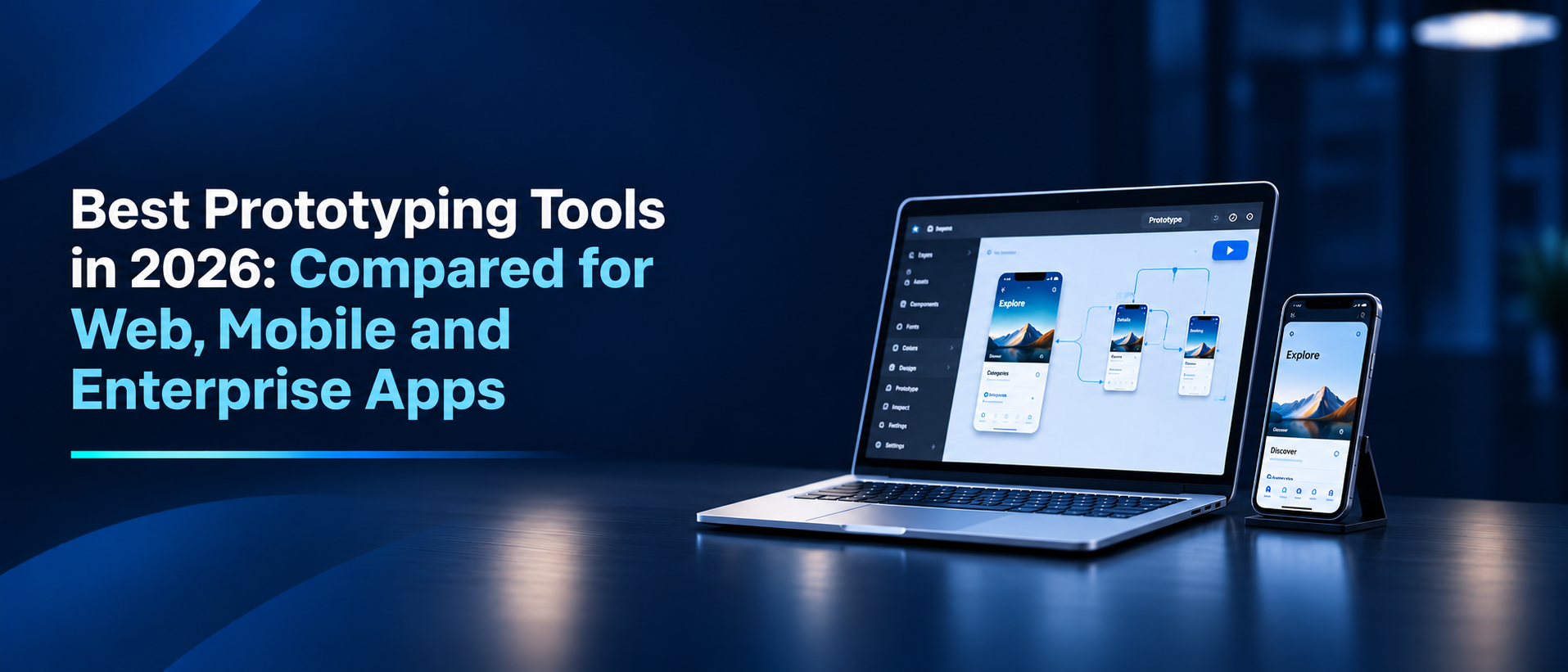
Best Prototyping Tools in 2026: Compared for Web, Mobile and Enterprise Apps
Prototyping Has Become the Fastest Path From Idea to Proof
Every successful digital product starts as a question: will people understand it, use it and value it? Prototyping answers that question before a single sprint of production code is written. In 2026, prototyping tools have evolved from simple click-through mockups into collaborative design platforms, code-backed component systems and AI assistants that turn a plain-English prompt into an interactive app prototype in minutes.
That shift is reshaping how products are built. Gartner's 2026 software engineering trends predict that by 2030, 40% of enterprise application portfolios will be custom applications built on AI-native development platforms, up from 2% in 2025 (Gartner, November 2026). Leading prototyping tools have responded by building AI directly into established workflows, from AI features in Figma to AI-assisted layouts in Framer and interaction assistance in ProtoPie.
With so many options, choosing the right prototype tool depends on what you are building, who is collaborating and how close the prototype needs to be to the finished product. This guide compares 16 of the best prototyping tools for 2026, selected from the tools most widely recommended by leading UX publications, across three families:
- Collaborative design platforms for UX and product teams
- Advanced interaction and code-backed tools for high-fidelity mobile and enterprise prototypes
- Wireframing and web publishing tools for fast concept validation and live web experiences
You will also find a side-by-side comparison table with 2026 pricing, the best picks for web, mobile (iOS and Android), enterprise and free use, a step-by-step mobile app prototyping process and the trends shaping product design in 2026.
What Is an App Prototype?
An app prototype is an interactive model of a web or mobile application that simulates how the final product will look, flow and behave. Teams use it to test ideas with real users, align stakeholders, validate technical feasibility and give developers a precise blueprint before full-scale development begins.
Prototype fidelity levels
| Fidelity | What it looks like | Best for | Typical tools |
| Low fidelity | Sketches and grayscale wireframes with basic links | Early concepts, information architecture, quick feedback | Balsamiq, MockFlow, Mockplus |
| Mid fidelity | Structured layouts with real content and navigation | Flow validation and stakeholder reviews | Figma, Justinmind, Axure RP |
| High fidelity | Pixel-accurate visuals, animations, real data and device features | Usability testing, investor demos, developer handoff | Figma, ProtoPie, UXPin, Framer, Proto.io |
| Functional (code-based) | Working front end with live data and logic | Pilots, technical validation, MVP foundations | UXPin Merge, Framer, Webflow |
Types of prototyping tools
- Collaborative design platforms combine UI design and prototyping in one workspace (Figma, Sketch, Penpot).
- Advanced interaction tools simulate sensors, gestures, conditional logic and device hardware (ProtoPie, Origami Studio, Principle).
- Enterprise logic tools handle complex conditions, variables, data and documentation (Axure RP, Justinmind, UXPin).
- Mobile-first prototyping tools focus on native mobile components and on-device previews (Proto.io, Marvel).
- Wireframing tools speed up early concepts and flows (Balsamiq, MockFlow, Mockplus).
- Web design and publishing tools turn prototypes into live, responsive sites (Framer, Webflow).
Why prototyping pays off
- Validate early: test core journeys with real users while changes are quick and inexpensive
- Align stakeholders: a clickable experience communicates far more clearly than a specification
- Speed up development: precise specs, components and assets streamline developer handoff
- Strengthen funding and buy-in: a polished mobile app prototype makes a compelling case to investors and executives
- Reduce rework: design decisions are settled before engineering effort begins
At Triazine Software, prototyping is a standard part of our UI/UX design and strategy engagements, because a validated prototype is the fastest route to a confident build.
How We Selected the Best Prototyping Tools
We evaluated each tool against seven criteria that matter to U.S. product teams, from startups to large enterprises:
| Criterion | What we looked for |
| Prototyping depth | Interactions, transitions, variables, conditional logic and device features |
| Platform coverage | Web, iOS and Android support, including on-device preview |
| Collaboration | Real-time co-editing, commenting, sharing and stakeholder access |
| AI capabilities | Prompt-to-UI generation, design assistance and code output |
| Developer handoff | Specs, assets, design tokens, code export or code-backed components |
| Enterprise readiness | SSO, permissions, design systems, security and admin controls |
| Value | Free plan availability and pricing that scales sensibly with team size |
Pricing below reflects vendor pricing pages and published reviews as of November 2026. Vendors update plans frequently, so confirm current pricing before purchase.
Best Prototyping Tools in 2026: Comparison Table
| # | Tool | Category | Platforms prototyped | Free plan | Paid from (USD) | Best for |
| 1 | Figma | Collaborative design | Web, iOS, Android | Yes | $12/editor/mo (annual) | All-round UI design and team prototyping |
| 2 | Framer | Web design and publishing | Web, responsive | Yes | $10/site/mo (annual) | Interactive web prototypes that publish live |
| 3 | ProtoPie | Advanced interactions | iOS, Android, web, automotive, IoT | Yes | $25/mo (Basic) | Realistic mobile interactions and sensors |
| 4 | UXPin | Code-backed components | Web, mobile | Yes | $29/editor/mo (annual) | Enterprise design systems with live code components |
| 5 | Axure RP | Enterprise logic | Web, desktop, mobile | Trial | ~$29/user/mo | Complex logic, data-driven and documented prototypes |
| 6 | Justinmind | Web and mobile prototyping | Web, iOS, Android | Yes | ~$19/editor/mo | Form-heavy enterprise apps and simulations |
| 7 | Proto.io | Mobile-first | iOS, Android, web | Trial | ~$29/mo | Native-feel mobile app prototypes |
| 8 | Balsamiq | Low-fidelity wireframing | Web, mobile, desktop | Trial | Paid plans | Fast, focused wireframes and early concepts |
| 9 | Sketch | Mac-native design | Web, iOS | Trial | Paid plans | Mac-based design teams, iOS projects |
| 10 | Penpot | Open-source design | Web, mobile | Yes (open source) | ~$7/user/mo (Unlimited) | Self-hosting, open standards and budget-conscious teams |
| 11 | Origami Studio | Advanced interactions | iOS, Android | Free | Free | Complex native interactions and motion |
| 12 | Marvel | Rapid prototyping | Web, iOS, Android | Yes | ~$8/mo (Pro) | Quick click-through prototypes and user testing |
| 13 | Mockplus | Design and prototyping | Web, iOS, Android | Yes | ~$12/mo | Teams wanting design, prototyping and handoff in one tool |
| 14 | MockFlow | Wireframing and UI design | Web, mobile | Yes | ~$14/user/mo | Wireframes, sitemaps and early UI concepts |
| 15 | Principle | Animated interactions (Mac) | iOS, web | Trial | ~$129 one-time license | Polished micro-interactions and motion |
| 16 | Webflow | Visual web development | Web | Yes | ~$15/mo (site plan) | Web prototypes that become production websites |
Pricing as listed on vendor pages and published reviews, November 2026. Plans change frequently; confirm with each vendor.
The 16 Best Prototyping Tools: Detailed Reviews
1. Figma
Figma is the industry-standard collaborative design platform, combining UI design, interactive prototyping, design systems and developer handoff in the browser. Its prototyping supports smart animate, variables, conditional logic and interactive components, and the Figma mobile app previews prototypes on real iOS and Android devices. Figma Make adds AI-powered prompt-to-prototype generation inside the same ecosystem.
- Standout features: real-time co-editing, variables and conditional prototyping, Dev Mode for handoff, FigJam for workshops, a vast community library
- Keep in mind: advanced logic-heavy simulations can be easier in dedicated tools such as Axure or ProtoPie
- Pricing: free plan; Professional from $12 per editor per month billed annually (Figma)
- Best for: most product teams, from startups to enterprises, as the central design and prototyping hub
2. Framer
Framer bridges design and live websites. Teams design responsive, interactive pages with animations and CMS content, then publish them as real sites, which makes Framer ideal for marketing sites, landing pages and web product prototypes. AI features generate layouts and copy from prompts.
- Standout features: responsive breakpoints, rich animations, built-in CMS, one-click publishing, AI site generation
- Keep in mind: best suited to web experiences rather than native mobile apps
- Pricing: free plan; Basic from $10 per site per month billed annually, Pro $30 (Siter, October 2026)
- Best for: web prototypes that become production websites
3. ProtoPie
ProtoPie specializes in highly realistic, code-free interactions. Designers can use device sensors (tilt, sound, camera, haptics), multi-screen and cross-device interactions, variables, formulas and conditional logic, making it a favorite for mobile, automotive and IoT prototypes.
- Standout features: sensor and hardware triggers, multi-device 'Connect' scenarios, Figma import, AI assistance on paid plans
- Keep in mind: a dedicated interaction tool that typically sits alongside Figma for visual design
- Pricing: free plan; Basic $25 per month, Pro $47 per editor per month (ProtoPie)
- Best for: high-fidelity mobile app prototypes and in-car or connected-device experiences
4. UXPin
UXPin is a code-backed prototyping platform. With UXPin Merge, teams prototype using real React components from their production design system, so prototypes behave exactly like the shipped product and handoff is seamless. Recent releases add AI-powered component generation.
- Standout features: Merge for React and Storybook components, states, variables, conditional interactions, built-in accessibility checks
- Keep in mind: Merge delivers the most value for organizations with an established coded design system
- Pricing: free plan; Core from $29 per editor per month billed annually, Growth $40 (PricingSaaS, November 2026)
- Best for: enterprise teams that want prototypes built from production components
5. Axure RP
Axure RP is the long-standing choice for logic-rich enterprise prototypes. It supports conditional logic, dynamic panels, variables, repeaters (data-driven lists), adaptive views and detailed annotations, making it ideal for complex workflows in banking, healthcare, insurance and internal enterprise systems.
- Standout features: advanced conditions and data, documentation generation, Axure Cloud sharing, Figma import
- Keep in mind: a steeper learning curve that rewards teams building complex logic
- Pricing: free trial; Pro around $29 per user per month, Team around $49
- Best for: enterprise apps, dashboards and data-driven workflows
6. Justinmind
Justinmind is a full-featured prototyping tool for web and mobile apps, known for form simulation, data lists, conditions and ready-made UI kits for iOS, Android and web.
- Standout features: realistic form behavior, data-driven prototypes, UI libraries, user-testing integrations, requirements management
- Keep in mind: a desktop application with web-based sharing
- Pricing: free plan; paid plans from around $19 per editor per month
- Best for: form-heavy enterprise and transactional applications
7. Proto.io
Proto.io is a browser-based tool built specifically for mobile app prototyping, with native iOS and Android components, gestures, transitions and on-device preview.
- Standout features: extensive mobile UI libraries, gesture support, user-testing integrations, Sketch and Figma import
- Keep in mind: most at home with mobile and tablet projects
- Pricing: free trial; plans from around $29 per month
- Best for: native-feel mobile application prototypes for user testing and demos
8. Balsamiq
Balsamiq keeps teams focused on structure and flow with intentionally sketch-style, low-fidelity wireframes. It is fast to learn and ideal for early concept work with stakeholders.
- Standout features: drag-and-drop wireframe components, linking for simple click-through flows, Balsamiq Cloud collaboration
- Keep in mind: designed for low fidelity; teams move to Figma or similar tools for visual design
- Pricing: free trial; subscription plans
- Best for: early wireframes, discovery workshops and requirement discussions
9. Sketch
Sketch is the Mac-native design tool that pioneered modern UI design. It offers prototyping with hotspots, flows and animations, plus web-based sharing and collaboration.
- Standout features: native macOS performance, symbols and libraries, smart layout, extensive plugin ecosystem
- Keep in mind: design editing runs on macOS, with browser-based viewing for collaborators
- Pricing: free trial; subscription or Mac-only license options
- Best for: Mac-based design teams, particularly for iOS products
10. Penpot
Penpot is an open-source design and prototyping platform built on open web standards (SVG, CSS and HTML). Teams can use the cloud version or self-host it, which appeals to organizations with strict data-control requirements.
- Standout features: self-hosting, design tokens, CSS grid and flex layouts, code inspection, real-time collaboration
- Keep in mind: a younger ecosystem with a fast-growing community and plugin library
- Pricing: free and open source; Unlimited plan around $7 per user per month
- Best for: open-source advocates, government and data-sensitive organizations, budget-conscious teams
11. Origami Studio
Built and used by Meta, Origami Studio is a free tool for designing advanced interactions and animations with a patch-based editor. It can access device sensors and preview prototypes on real phones.
- Standout features: patch-based logic, Figma and Sketch layer import, live device preview, sophisticated motion design
- Keep in mind: a visual programming approach that suits interaction specialists
- Pricing: free
- Best for: complex native mobile interactions and motion studies
12. Marvel
Marvel is a simple, browser-based design and prototyping platform that helps teams turn screens into clickable prototypes quickly, then share them for feedback and user testing.
- Standout features: drag-and-drop prototyping, image and sketch upload, built-in user testing, developer handoff specs
- Keep in mind: designed for speed and simplicity rather than complex logic
- Pricing: free plan; Pro from around $8 per month
- Best for: fast click-through prototypes, stakeholder reviews and early user testing
13. Mockplus
Mockplus brings design, prototyping and developer handoff into one collaborative platform, with ready-made components and interactions for web and mobile apps.
- Standout features: reusable components, drag-and-drop interactions, design systems, auto-generated specs and assets
- Keep in mind: most popular with teams that value an all-in-one workflow
- Pricing: free plan; paid plans from around $12 per month
- Best for: small and mid-sized teams wanting design, prototyping and handoff in one place
14. MockFlow
MockFlow is a cloud-based suite for wireframing, UI design and product planning, including WireframePro, sitemaps and collaborative design spaces.
- Standout features: extensive UI component packs, sitemap and flow planning, team spaces, integrations with Slack and Confluence
- Keep in mind: strongest for wireframes and early UI rather than advanced interactions
- Pricing: free for two design spaces; paid plans from around $14 per user per month
- Best for: product managers and teams planning information architecture and early concepts
15. Principle
Principle is a Mac app for designing animated, interactive UI. Designers import screens from Figma or Sketch and craft smooth transitions, scrolling behavior and micro-interactions on a timeline.
- Standout features: timeline-based animation, drivers for scroll and drag interactions, Figma and Sketch import, video export
- Keep in mind: runs on macOS and focuses on motion rather than full product flows
- Pricing: free trial; one-time license around $129 per computer
- Best for: polished micro-interactions and motion studies for iOS and web apps
16. Webflow
Webflow is a visual web development platform that generates clean HTML, CSS and JavaScript as you design, so web prototypes can launch as production-grade, responsive websites with a built-in CMS.
- Standout features: visual layout with real CSS, interactions and animations, CMS, hosting, AI-assisted site building
- Keep in mind: built for websites and web experiences rather than native mobile apps
- Pricing: free Starter plan; site plans from around $15 per month
- Best for: marketing sites and web prototypes that go live
Best Prototyping Tools by Use Case
Best prototyping tools for web apps
| Need | Top picks |
| Collaborative product design | Figma |
| Interactive marketing sites that go live | Framer, Webflow |
| Code-backed web prototypes | UXPin (Merge) |
| Complex web app logic | Axure RP, Justinmind |
| Fast wireframes and flows | Balsamiq, MockFlow |
Best mobile app prototyping tools (iOS and Android)
For a convincing mobile app prototype, prioritize native components, gestures, transitions and on-device preview.
| Need | Top picks |
| End-to-end mobile app design and prototyping | Figma (with the Figma mobile app for previews) |
| Realistic gestures, sensors and haptics | ProtoPie, Origami Studio |
| Native component libraries | Proto.io, Justinmind |
| Polished micro-interactions on Mac | Principle |
| Quick, shareable click-through prototypes | Marvel, Mockplus |
Best Android prototyping tools
Android teams benefit from tools with Material Design 3 kits and Android device preview. Top android prototyping tools include Figma (with Google's official Material 3 Design Kit), ProtoPie (Android device mirroring and sensors), Proto.io and Justinmind (Android UI libraries) and Origami Studio (Android preview app). For a production Android build, explore Triazine's Android app development services and our custom Android app development guide.
Best prototyping tools for enterprise apps
Enterprise prototypes often involve complex permissions, data-heavy screens, multi-step forms and strict design systems.
| Need | Top picks |
| Production design systems and code components | UXPin (Merge), Figma (Organization/Enterprise) |
| Complex logic, conditions and data | Axure RP, Justinmind |
| Self-hosting and data control | Penpot |
| Security and admin controls | Figma Enterprise, UXPin Enterprise, Axure Enterprise |
Best free app prototyping tools
Several strong free app prototyping tools let teams start at zero cost:
- Figma free plan for individuals and small projects
- Penpot, fully free and open source
- Origami Studio, free from Meta
- ProtoPie, Framer, UXPin, Justinmind, Marvel, Mockplus, MockFlow and Webflow, each with a free tier
How to Choose the Right Prototype Tool
Ask these six questions before committing to a platform:
- What fidelity do you need right now? Low-fidelity tools speed up early discovery; high-fidelity and code-backed tools suit usability testing and handoff.
- Which platforms are you designing for? Web-first teams lean toward Figma, Framer and Webflow; mobile teams benefit from ProtoPie, Proto.io and on-device preview.
- How complex is the logic? Data-driven enterprise workflows benefit from Axure RP, Justinmind or UXPin.
- Who collaborates? Browser-based tools make it easy for executives, developers and clients to review and comment.
- How will designs reach developers? Look for Dev Mode-style specs, design tokens, code export or production components.
- What are your security and scale requirements? Enterprises should confirm SSO, permissions, data residency and admin controls.
A practical stack for 2026: many high-performing teams wireframe in Balsamiq or MockFlow, use Figma as the system of record for design and prototyping, add ProtoPie for advanced mobile interactions and choose UXPin Merge or Axure RP when prototypes must mirror production components or complex logic.
The Mobile App Prototyping Process: 7 Steps
Here is how experienced product teams create a mobile application prototype that leads to a confident build:
- Define goals and users. Clarify the problem, target users, key journeys and the metrics that define success.
- Map user flows. Chart the screens and decisions for each core journey, such as onboarding, search, checkout or booking.
- Sketch and wireframe. Explore layouts quickly in low fidelity with Balsamiq, MockFlow or Mockplus.
- Design high-fidelity screens. Apply your brand and design system, following Apple Human Interface Guidelines and Google Material Design 3.
- Add interactions. Link screens, add gestures, transitions, micro-interactions and realistic content.
- Test with real users. Run moderated or unmoderated usability tests on real devices, measure task success and refine.
- Hand off to development. Share specs, components, assets and acceptance criteria, and keep the prototype as a living reference during development.
Triazine's agile product development teams follow this process to move from prototype to production smoothly, with design and engineering working side by side.
Prototyping Trends Shaping 2026
1. AI inside the design tool
AI features built into established tools such as Figma, Framer and ProtoPie let teams generate layouts and explore many directions in minutes, then refine the strongest one with full design control.
2. Prototypes that are real code
Code-backed platforms such as UXPin Merge and publishing tools such as Framer and Webflow blur the line between prototype and product. Gartner expects AI-native development platforms to power a rapidly growing share of enterprise applications by 2030.
3. Design systems as the source of truth
Design tokens, variables and coded component libraries keep every screen on brand and consistent across web and mobile, including screens created with AI assistance.
4. MCP and agent-connected design tools
Design tools increasingly connect to coding agents and IDEs through the Model Context Protocol (MCP), so design context flows directly into development.
5. Prototyping for AI experiences
Teams now prototype conversational interfaces, copilots and agent workflows, testing how users interact with AI responses, confidence indicators and human-in-the-loop controls.
6. Accessibility from the first screen
Built-in contrast checks, focus order and screen-reader annotations help teams design inclusive products that align with WCAG 2.2 from the prototype stage.
How Triazine Software Turns Prototypes Into Products
Tools create prototypes; teams turn them into successful products. Triazine Software combines UX strategy, prototyping and engineering so every validated idea moves smoothly into a scalable web or mobile application.
What we offer:
- UX research, prototyping and design systems through our UI/UX design and strategy services, using Figma, ProtoPie and AI-assisted tools
- Mobile app development for iOS, Android, Flutter and React Native through our mobile app development services
- Web application development from validated prototypes to production through our website and web application development practice
- Agile MVP delivery with agile product development teams that ship in short, measurable sprints
- Flexible design capacity when you need to hire UI/UX designers and project managers
- U.S. presence with global delivery through Triazine Software LLC, so our U.S. team collaborates closely with your stakeholders while scalable design and engineering teams keep delivery efficient
Related case studies
- Mobile ordering app re-engineering: a high-traffic consumer ordering app redesigned and re-engineered for speed, reliability and a smoother customer journey
- Mental health consultation platform: a patient-friendly digital experience for booking and attending consultations
- On-demand home healthcare platform: web and mobile apps connecting patients with home healthcare services
- Modern trade management platform: a field-ready mobile and web platform for retail distribution teams
Explore all Triazine case studies.
Frequently Asked Questions
What are prototyping tools?
Prototyping tools are software platforms for creating interactive models of web and mobile applications, so teams can test flows, gather feedback and hand precise designs to developers before full development.
Which are the best prototyping tools in 2026?
Leading options include Figma, Framer, ProtoPie, UXPin, Axure RP, Justinmind, Proto.io, Balsamiq, Sketch, Penpot, Origami Studio, Marvel, Mockplus, MockFlow, Principle and Webflow.
What are the best mobile app prototyping tools?
Figma, ProtoPie, Proto.io, Justinmind, Origami Studio and Principle are excellent for mobile app prototyping, offering native components, gestures, animations and on-device previews. Marvel and Mockplus are quick options for shareable click-through prototypes.
Which free app prototyping tools are worth using?
Figma's free plan, Penpot (open source) and Origami Studio are free to use, and ProtoPie, Framer, UXPin, Justinmind, Marvel, Mockplus, MockFlow and Webflow all offer free tiers.
What are the best Android prototyping tools?
Figma with the Material 3 Design Kit, ProtoPie, Proto.io, Justinmind and Origami Studio all support Android-specific components and device preview.
Can AI create an app prototype?
Yes. AI features in established tools, such as Figma's AI capabilities and AI-assisted layouts in Framer and Webflow, generate screens and layouts from prompts. Human design review keeps the results on brand, accessible and ready for development.
How long does it take to build a mobile app prototype?
A low-fidelity prototype can take a few days, while a tested, high-fidelity mobile app prototype for a full product typically takes two to six weeks, depending on scope and the number of user journeys.
What is the difference between a prototype and an MVP?
A prototype simulates the product to test ideas and usability. An MVP (minimum viable product) is a working release with core features that real customers use, built on insights validated through prototyping.
Conclusion
The best prototyping tools in 2026 give teams more ways than ever to move from idea to evidence. Figma remains the collaborative center of gravity, ProtoPie, Origami Studio and Principle push realism for mobile, UXPin and Axure RP serve enterprise complexity, and Framer and Webflow turn web prototypes into live experiences.
The winning approach combines the right tools with a disciplined process: explore quickly, prototype at the right fidelity, test with real users and hand off with clarity. With a partner that connects design and engineering, every validated prototype becomes a faster, more confident launch.
Have an app idea ready to prototype? Talk to Triazine's product design team to turn it into a tested prototype and a production-ready web or mobile app.
Sources
- Gartner, Top Strategic Technology Trends in Software Engineering for 2026 and Beyond (November 2026)
- Figma pricing
- ProtoPie plans
- PricingSaaS, UXPin pricing (November 2026)
- Siter, Framer pricing (October 2026)
- Aufait UX, Best Prototyping Tools (pricing reference for Axure, Justinmind, Proto.io, Penpot, Marvel, Mockplus, Principle, Webflow)
- Designlab, Best Prototyping Tools for UX/UI Designers (pricing reference for MockFlow)
























































 Get free quote