Benefits of Cloud Migration: What Businesses Gain
The benefits of cloud migration now reach far beyond cheaper servers. In 2026, the cloud is where enterprises build AI, launch products faster, serve customers globally, and strengthen security. Spending reflects that shift: Gartner forecast worldwide public cloud end-user spending of $723.4 billion in 2025, up 21.5% in a single year, and expects 90% of organizations to adopt a hybrid cloud approach by 2027 (Gartner).
AI is accelerating the move. Gartner projects spending on AI-optimized cloud infrastructure to nearly double in 2026, reaching about $42.3 billion (Gartner). Meanwhile, Flexera's 2026 State of the Cloud Report finds 81% of organizations already use generative AI in the cloud, up from 47% just two years earlier (Flexera).
The same Flexera research shows that about 29% of cloud spend remains open to optimization, which proves a key point: the value of the cloud depends on how you migrate and operate. This guide shows U.S. business and technology leaders how to capture that value. You will learn:
- What cloud migration is and the models to choose from
- 12 business benefits of cloud migration, with the KPIs to track
- The pros and cons of cloud migration, with ways to manage each consideration
- How to approach public cloud migration and SaaS cloud migration
- A proven cloud data migration strategy built on the 7 Rs
- Best practices for secure cloud migration
- How to measure success, plus the trends shaping 2027
What Is Cloud Migration?
Cloud migration is the process of moving applications, data, workloads and IT processes from on-premises data centers, or from one cloud, to a cloud environment. It can be as simple as rehosting a server or as transformative as rebuilding an application with cloud-native services.
Types of Cloud Migration
| Type | What moves | Example |
| Application migration | Business applications and their dependencies | Moving an ERP or customer portal to AWS or Azure |
| Data migration | Databases, data warehouses, files and archives | Moving an on-premises SQL Server warehouse to Snowflake or Azure Synapse |
| Infrastructure migration | Servers, storage and networking | Replacing data center hardware with cloud virtual machines |
| SaaS migration | A business function to a SaaS product | Moving from on-premises email to Microsoft 365 |
| Cloud-to-cloud migration | Workloads between providers | Rebalancing workloads across AWS, Azure and Google Cloud |
Cloud Deployment Models
- Public cloud: shared, on-demand infrastructure from providers such as AWS, Microsoft Azure and Google Cloud
- Private cloud: dedicated infrastructure for a single organization, on-premises or hosted
- Hybrid cloud: public and private environments working together, the model Gartner expects 90% of organizations to adopt by 2027
- Multi-cloud: services from two or more public cloud providers, chosen for best-fit capabilities
Cloud Service Models
- IaaS (Infrastructure as a Service): compute, storage and networking on demand
- PaaS (Platform as a Service): managed databases, runtimes and developer platforms
- SaaS (Software as a Service): complete applications delivered over the internet
12 Key Benefits of Cloud Migration for Businesses
The benefits of cloud migration span finance, operations, security and innovation. Here is what businesses gain.
1. Cost Optimization and Predictable Spending
Cloud migration shifts IT spending from large capital purchases to flexible, pay-as-you-go operating expenses. Businesses retire aging hardware, reduce data center real estate and power costs, and pay for the capacity they actually use. With FinOps practices, reserved capacity and right-sizing, savings grow over time.
2. On-Demand Scalability
Autoscaling adds compute and storage in minutes during peak demand, such as holiday shopping, open enrollment or quarter-end close, and scales back when demand eases.
3. Business Agility and Faster Time to Market
Developers provision environments instantly, use managed services and release features through automated CI/CD pipelines. Product teams move from quarterly releases to weekly or daily updates.
4. Enterprise-Grade Security
Leading cloud providers invest billions in security, offering encryption, identity and access management, threat detection and continuous compliance tooling that would be costly to build in-house. Under the shared responsibility model, the provider secures the infrastructure while you secure your data and access.
5. Business Continuity and Disaster Recovery
Multi-region architectures, automated backups and replication help businesses recover quickly and keep critical services available for customers.
6. High Performance and Global Reach
Cloud regions and content delivery networks place applications close to users across the U.S. and worldwide, improving speed and customer experience.
7. AI and Advanced Analytics Readiness
The cloud provides GPUs, data platforms and managed AI services on demand. Migrating data to the cloud is often the first step toward generative AI, machine learning and real-time predictive analytics.
8. Simplified Compliance
Major providers maintain certifications and attestations for frameworks such as SOC 2, HIPAA, PCI DSS, FedRAMP and ISO 27001, giving regulated U.S. industries a strong compliance foundation.
9. Remote Collaboration and Productivity
Cloud-based applications and data let distributed teams work together securely from any location and device.
10. Automatic Updates and Reduced Maintenance
Managed services handle patching, upgrades and hardware refreshes, so IT teams can focus on innovation and business priorities.
11. Sustainability
Hyperscale data centers run with high energy efficiency and growing renewable energy use, helping businesses advance their ESG goals.
12. A Foundation for Modernization
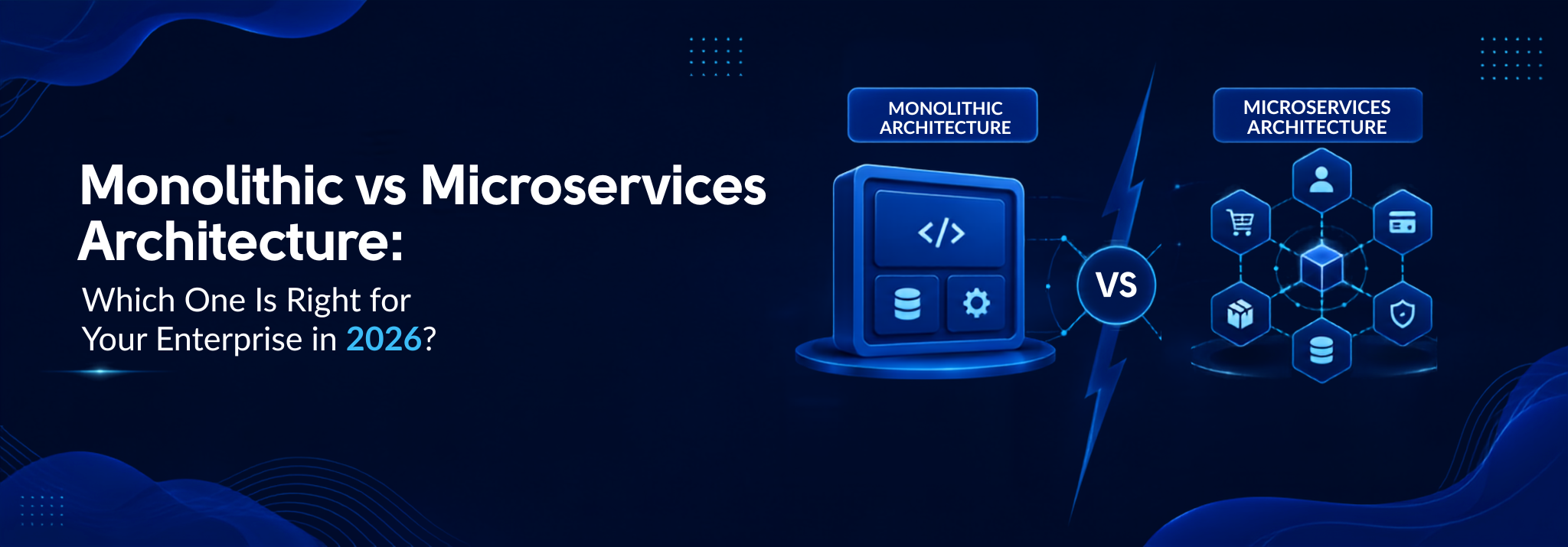
The cloud enables microservices, containers and serverless architectures that make applications easier to evolve. Explore our guides on serverless architecture and monolithic vs. microservices architecture.
Cloud Migration Benefits at a Glance
| Benefit | Primary stakeholder | KPI to track |
| Cost optimization | CFO | Total cost of ownership, cost per transaction |
| Scalability | CTO | Peak capacity handled, time to scale |
| Agility | Product and engineering | Deployment frequency, lead time for changes |
| Security | CISO | Mean time to detect and respond |
| Business continuity | COO | Recovery time and recovery point objectives |
| AI readiness | CDO | Time to deploy new models and data products |
| Sustainability | ESG leaders | Carbon emissions per workload |
Pros and Cons of Cloud Migration: A Balanced View
Every strategic investment deserves a clear-eyed view. The pros and cons of cloud migration below show what businesses gain and the considerations that smart planning turns into strengths.
| Pros | Cons (considerations) | How leaders manage them |
| Pay-as-you-go cost model | Spend can grow with usage | FinOps practices, budgets, alerts, reserved capacity and right-sizing |
| Elastic scalability | Architecture choices affect efficiency | Cloud-native design, autoscaling policies and regular reviews |
| Built-in security services | Shared responsibility requires clear ownership | Zero-trust access, encryption and continuous posture management |
| Faster innovation | Teams need new skills | Training, certifications and experienced migration partners |
| Global availability | Data residency rules vary | Region selection and data governance policies |
| Managed services | Provider-specific services create dependency | Containers, open standards and a multi-cloud strategy |
| Rapid deployment | Migration requires careful sequencing | Phased waves, pilots and thorough testing |
The takeaway: the advantages of cloud migration are substantial and lasting, while each consideration has a well-proven management approach. Flexera reports that 63% of organizations now run established FinOps teams and 71% operate a Cloud Center of Excellence, two practices that keep cloud value high.
Public Cloud Migration: Choosing the Right Platform
Public cloud migration moves workloads to hyperscale providers that deliver on-demand infrastructure and hundreds of managed services. Among enterprises, AWS (83%) and Microsoft Azure (79%) lead active workloads, according to Flexera's 2026 research.
| Provider | Standout strengths | Strong fit for |
| Amazon Web Services (AWS) | Broadest service catalog, mature ecosystem, global footprint | Digital-native products, large-scale web platforms, data lakes |
| Microsoft Azure | Deep integration with Microsoft 365, Windows Server, SQL Server and Active Directory; strong hybrid tools | Enterprises invested in Microsoft technology, regulated industries |
| Google Cloud | Analytics, BigQuery, Kubernetes and AI leadership | Data-intensive and AI-driven workloads |
| Oracle Cloud Infrastructure | Optimized for Oracle databases and applications | Oracle-centric enterprises |
When Public Cloud Migration Fits Best
- Workloads with variable or seasonal demand
- New digital products that need to scale quickly
- Analytics, AI and machine learning initiatives
- Organizations consolidating or exiting data centers
- Businesses expanding to new U.S. regions or international markets
For Microsoft-centric enterprises, our Microsoft Azure enterprise solutions help plan and execute a smooth move.
SaaS Cloud Migration: Two Paths to Value
SaaS cloud migration means one of two things, and both deliver strong returns.
Path 1: Moving Business Functions to SaaS
Organizations replace on-premises software with SaaS platforms such as Microsoft 365, Salesforce, Workday or ServiceNow. Gartner's forecast puts SaaS at $299.1 billion in 2025, the largest public cloud segment. Benefits include:
- Continuous feature updates on fully managed infrastructure
- Predictable per-user subscription pricing
- Rapid rollout across offices and remote teams
- Built-in mobile access and integrations
Success tips: map business processes before selecting a platform, plan data cleansing and migration early, and configure single sign-on and role-based access from day one.
Path 2: Transforming Your Product into SaaS
Software vendors and enterprises with internal platforms modernize legacy, single-tenant applications into multi-tenant SaaS products. This opens recurring revenue, faster releases and lower cost to serve each customer. Key steps include:
- Re-architect the application into modular services or microservices
- Design a multi-tenant data model with strong tenant isolation
- Add subscription billing, usage metering and self-service onboarding
- Automate deployments with CI/CD and infrastructure as code
- Build observability for every tenant
Our legacy application modernization services and legacy modernization guide explain this journey in depth.
Building a Cloud Data Migration Strategy
A strong cloud data migration strategy decides, workload by workload, how each system moves and when. It starts with the 7 Rs.
The 7 Rs of Cloud Migration
| Strategy | What it means | Effort | Best for |
| Rehost (lift and shift) | Move as-is to cloud virtual machines | Low | Fast data center exits |
| Relocate | Move virtualized workloads, such as VMware, at the hypervisor level | Low | Large VMware estates |
| Replatform (lift and reshape) | Small optimizations, such as moving to a managed database | Medium | Quick wins in cost and operations |
| Refactor (re-architect) | Rebuild with cloud-native services, containers or serverless | High | Strategic, high-growth applications |
| Repurchase | Move to a SaaS product | Medium | Commodity functions such as email, CRM or HR |
| Retire | Decommission applications that are redundant | Low | Simplifying the portfolio |
| Retain | Keep on-premises for now and revisit later | Low | Workloads with specialized hardware or timing needs |
A 7-Step Cloud Data Migration Plan
- Define business goals. Set targets for cost, performance, resilience and innovation, and secure executive sponsorship.
- Discover and assess. Inventory applications, data, dependencies and licenses. Classify data by sensitivity and criticality.
- Choose the target architecture. Select providers, landing zones, networking, identity and the right R for each workload.
- Prepare the data. Cleanse, deduplicate, archive and map data to target schemas. A sound data warehouse design and data governance framework pay off here.
- Migrate in waves. Start with a pilot of lower-criticality workloads, then move in planned waves. Use batch transfer for archives, and change data capture (CDC) for near-continuous availability of live databases.
- Validate and cut over. Reconcile record counts and checksums, run performance and user acceptance tests, then switch traffic with a clear rollback plan.
- Optimize continuously. Right-size resources, adopt reserved capacity, tune performance and modernize further over time.
Typical Timelines
| Scope | Typical duration |
| Single application or database | 4 to 12 weeks |
| Department or business unit | 3 to 6 months |
| Full data center exit | 12 to 24 months |
Secure Cloud Migration: Best Practices
Security is one of the strongest benefits of cloud migration when it is designed in from the start. With the average U.S. data breach costing $10.22 million in 2025 (IBM via SecurityWeek), a secure cloud migration protects both data and reputation.
10 Practices for a Secure Cloud Migration
- Understand the shared responsibility model. Document exactly which controls the provider owns and which your team owns.
- Build a secure landing zone. Standardize accounts, networks, guardrails and logging before the first workload moves.
- Adopt zero-trust identity. Enforce single sign-on, multi-factor authentication and least-privilege, role-based access.
- Encrypt everywhere. Protect data in transit with TLS and at rest with customer-managed keys.
- Classify and protect sensitive data. Apply data loss prevention and masking to PII, PHI and financial data.
- Secure the migration pipeline. Use private connectivity, such as AWS Direct Connect or Azure ExpressRoute, for large transfers.
- Embed DevSecOps. Scan infrastructure as code, containers and dependencies automatically. Explore our DevSecOps services.
- Monitor posture continuously. Use cloud security posture management (CSPM) and centralized logging with SIEM.
- Test before go-live. Run vulnerability assessment and penetration testing (VAPT) on the new environment.
- Map controls to compliance. Align with HIPAA, PCI DSS, SOC 2, FedRAMP, CCPA and industry rules, and automate evidence collection.
Compliance Considerations by U.S. Industry
| Industry | Key frameworks |
| Healthcare | HIPAA, HITRUST |
| Financial services | PCI DSS, SOX, GLBA, FFIEC guidance |
| Government and contractors | FedRAMP, StateRAMP, CMMC |
| Retail and ecommerce | PCI DSS, CCPA and state privacy laws |
| Energy and utilities | NERC CIP |
Measuring the Benefits of Cloud Migration
The benefits of cloud migration become visible to leadership when they are measured against a pre-migration baseline. Track these KPIs across four dimensions:
| Dimension | KPIs |
| Financial | Total cost of ownership, cost per transaction or customer, share of spend on reserved capacity |
| Operational | Availability, recovery time objective (RTO), recovery point objective (RPO), incident volume |
| Engineering velocity | Deployment frequency, lead time for changes, environment provisioning time |
| Business impact | Time to market for new features, customer satisfaction, revenue from new digital products |
Real-World Examples
- Netflix completed its move to AWS in 2016, after a multi-year journey, to support streaming growth across the globe with elastic, cloud-native architecture.
- Capital One became one of the first major U.S. banks to go all-in on the public cloud, closing its final data center in 2020 and building its technology strategy on AWS.
- Enterprise modernization at Triazine: see how we modernized a business-critical platform in our enterprise application modernization case study.
These journeys share a pattern: clear executive ownership, phased migration and a commitment to modernizing applications along the way.
Cloud Trends Shaping 2027
1. AI-driven cloud demand. AI-optimized infrastructure spending is set to grow 96% in 2026, making cloud migration the gateway to enterprise AI.
2. Hybrid and multi-cloud as the norm. With 90% of organizations expected to run hybrid cloud by 2027, portability and unified management become core design goals.
3. FinOps maturity. Cost accountability expands from IT to every business unit, with AI spend now part of FinOps practice.
4. Platform engineering. Internal developer platforms give teams self-service, secure, compliant environments.
5. Sovereign and industry clouds. Region-specific and industry-specific clouds help regulated sectors meet data residency and compliance needs.
6. Serverless and containers by default. New applications increasingly launch on Kubernetes and serverless services for efficiency and scale.
7. AI-assisted migration. Generative AI tools now analyze legacy code, map dependencies and automate parts of refactoring, making migrations faster.
Accelerate Your Cloud Journey with Triazine
Capturing the full benefits of cloud migration takes the right strategy, engineering depth and security discipline. Triazine helps U.S. businesses, through its U.S. entity Triazine Software LLC, plan, migrate, modernize and operate cloud environments with confidence.
- Cloud development and migration: assessment, 7 Rs strategy, data migration and cloud-native development
- Microsoft Azure enterprise solutions: Azure migration, modernization and governance
- Legacy application modernization: re-architecting legacy systems into scalable, cloud-ready platforms
- DevSecOps: security and automation built into every release
- Cloud managed services: 24/7 monitoring, optimization and support after go-live
From your first workload to a full data center exit, Triazine delivers secure, cost-optimized and future-ready cloud outcomes.
Frequently Asked Questions
What are the main benefits of cloud migration?
The main benefits of cloud migration are cost optimization, on-demand scalability, faster time to market, enterprise-grade security, stronger business continuity, global performance, simplified compliance and readiness for AI and advanced analytics.
What are the pros and cons of cloud migration?
The pros include flexibility, scalability, innovation speed and built-in security. The cons are considerations such as usage-based spending, new skill needs, data residency and provider dependency, each managed through FinOps, training, governance and multi-cloud design.
What is a cloud data migration strategy?
A cloud data migration strategy is a plan that defines which data and applications move, in what order, using which approach (the 7 Rs), with steps for data preparation, security, testing, cutover and optimization.
What is public cloud migration?
Public cloud migration is the move of workloads to shared hyperscale platforms such as AWS, Microsoft Azure or Google Cloud, which provide on-demand infrastructure and managed services.
What is SaaS cloud migration?
SaaS cloud migration means either moving business functions to SaaS products, such as Microsoft 365 or Salesforce, or transforming an in-house or legacy application into a multi-tenant SaaS product.
How do you ensure a secure cloud migration?
A secure cloud migration combines a secure landing zone, zero-trust identity, encryption in transit and at rest, data classification, DevSecOps automation, continuous posture monitoring and penetration testing before go-live.
How long does cloud migration take?
A single application typically takes 4 to 12 weeks, a business unit 3 to 6 months and a full data center exit 12 to 24 months, depending on complexity and the chosen strategy.
How much does cloud migration cost?
Costs depend on the number of workloads, data volume, chosen strategy and level of modernization. Rehosting carries the lowest upfront cost, while refactoring requires more investment and delivers the greatest long-term value.
Conclusion
The benefits of cloud migration in 2026 reach every corner of the business: leaner costs, elastic scale, faster innovation, stronger security and a ready foundation for AI. Organizations that pair a clear cloud data migration strategy with security by design and disciplined FinOps turn the cloud into a lasting competitive advantage.
Ready to plan your move? Talk to Triazine's cloud experts or hire experienced cloud and DevOps engineers to get started.























































 Get free quote